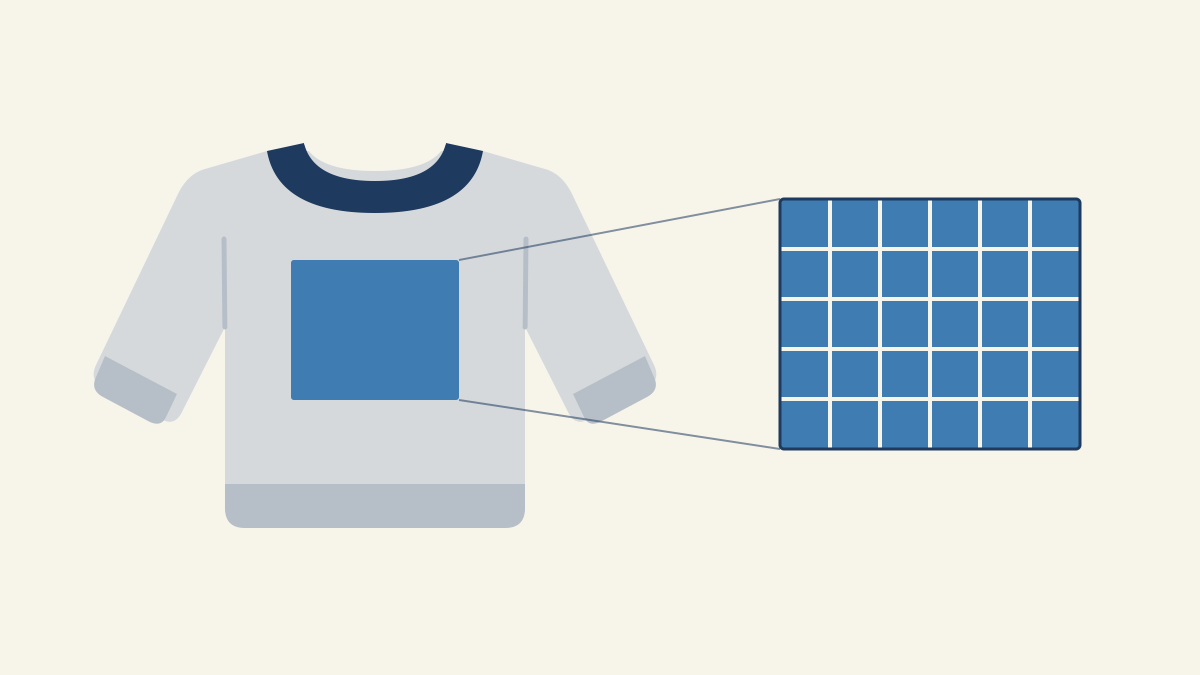
A full-front print on a sweatshirt or hoodie is usually 10 to 12 inches wide, which is 3000 to 3600 pixels at 300 DPI. A left-chest logo is about 3 to 4 inches wide (900 to 1200 px). Those ranges come from Printful's hoodie placement guide (published July 27, 2026), which also notes that crewnecks and hoodies share the same placements. The exact maximum still depends on the blank and the print method, so check your provider's template before you export.
Sweatshirt print size in inches and pixels at 300 DPI
Printful and Printify both publish size ranges by placement. They give widths, not heights, because the height you get depends on each product's template.
| Placement | Printful | Printify | Pixels wide at 300 DPI |
|---|---|---|---|
| Full front | 10–12 in wide | – | 3000–3600 px |
| Full back | 10–12 in wide | 8–12 in | 2400–3600 px |
| Center chest | 3–5 in wide (small chest print) | 5–7 in | 900–2100 px |
| Left chest | 3–4 in wide | 3–4 in | 900–1200 px |
| Sleeve | – | 2–3 in wide | 600–900 px |
| Neck label | – | 1–2 in | 300–600 px |
Printify's figures come from its hoodie logo placement guide. Pixels are inches multiplied by DPI, worked out separately for width and height.
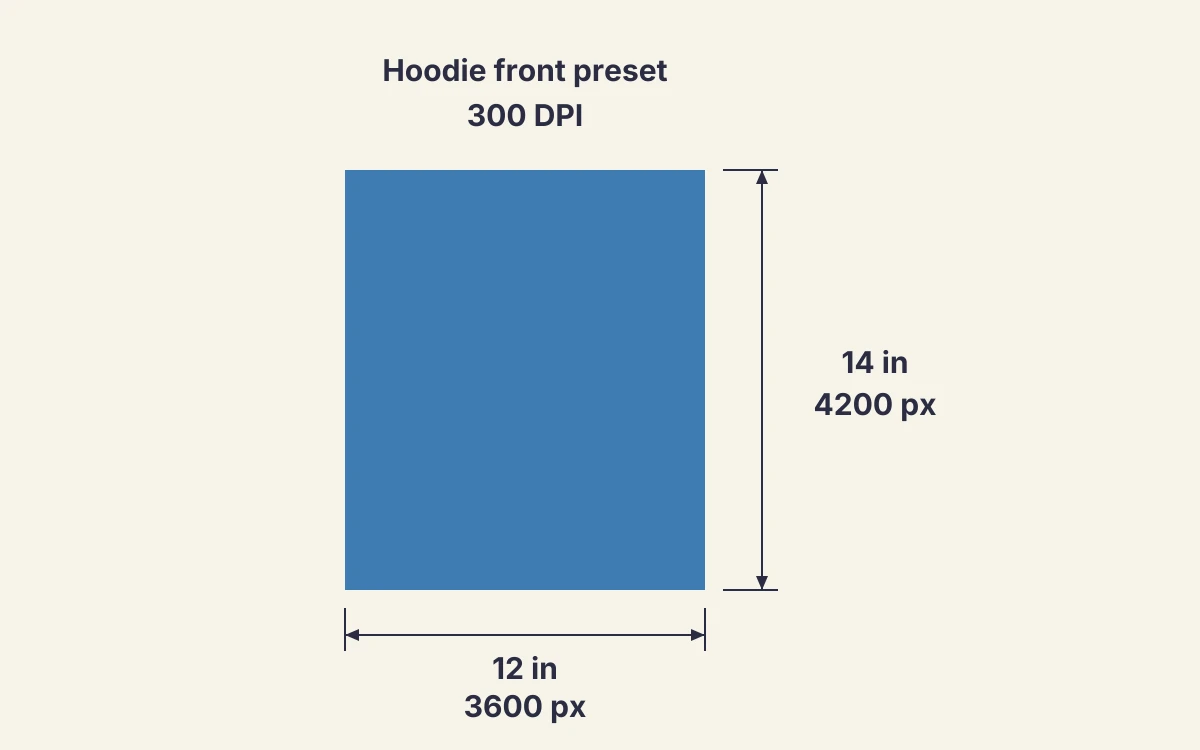
If you want both sides of the canvas, these are the presets the Design Size Calculator uses:
| Preset | Inches | Pixels at 300 DPI |
|---|---|---|
| Hoodie front | 12 × 14 in | 3600 × 4200 px |
| Hoodie front above the pouch | 10 × 12 in | 3000 × 3600 px |
| Left chest | 3.5 × 3.5 in | 1050 × 1050 px |
| Sleeve | 3 × 12 in | 900 × 3600 px |
The print area is the most you can use. A design does not have to fill it.
Why a t-shirt file may not fit your sweatshirt
A design sized for a t-shirt can crop or sit low on a crewneck or hoodie, because the print area changes with the blank and the provider. If you sell through more than one provider, compare their templates first; how print providers differ covers what else changes between them.
| Garment | What changes |
|---|---|
| T-shirt | The available print area depends on the supplier's product and the garment sizes in your order. |
| Crewneck | Same placements as a hoodie, with no pouch to work around. Check the template height for the exact limit. |
| Hoodie | The pouch pocket limits how low the front design can go. Printful advises keeping key artwork off the pocket opening, and off the zipper line on zip-ups. |
The maximum area can depend on platen size and the smallest garment receiving the same design. Check proportions on the smallest and largest sizes you sell, not just on a mockup.
How far below the collar a sweatshirt print sits
On most products, the printable area starts about 2 inches below the collar on the front and 3 inches on the back. That figure comes from Printify's design guide, which also notes it varies by product.
That gap stays the same on every size. A design placed for a large sits in the same spot below the collar on a small, so it ends closer to the hem, the pouch or the zipper. Keep the bottom edge of the artwork clear of those on the smallest size you sell.
On a hoodie back, start below the shoulder seam and leave room for the hood. Printify warns that a hood worn down can cover artwork placed too high.
Should the print change size for S, 2XL and youth sweatshirts?
When a provider prints one file on every size, the same design looks bigger on a small and smaller on a 2XL. Printify's Product Creator shows the design on a size L, and Printify says the result will look slightly different on S, L and XL.
- Adult sizes: size the design for the smallest adult size you sell, then check how it looks on the largest. Printify notes that placement also shifts a little between sizes, because it is done by hand.
- Youth sizes: Printify suggests scaling logos down by 20% to 30% for youth hoodies. A 10-inch adult front print becomes about 7 to 8 inches.
- Fitted and women's styles: Printify recommends a smaller left-chest logo and a sample before you sell.
Some providers scale the design down for smaller sizes and some do not. The provider's product page or help center says which, so check it before you assume one file fits all.
Which sweatshirts are selling on Etsy this season
Sweatshirt sales on Etsy are rising into the holidays, but new listings are rising faster. These are Podezzy's Etsy marketplace estimates for the 30 days to November 2, 2026:
| Etsy search term | Sales, 30 days* | Sales change | Listings | Listings change | Average sale* |
|---|---|---|---|---|---|
| sweatshirt | 26,901 | +18% | 312,539 | +33% | $39 |
| hoodie | 18,484 | +19% | 237,345 | +41% | $48 |
| crewneck sweatshirt | 11,805 | +28% | 167,343 | +38% | $51 |
| graphic sweatshirt | 2,059 | +54% | 67,341 | +65% | $42 |
*Estimated from Etsy listing activity, not figures published by Etsy. Average sale is estimated revenue divided by estimated sales.
Small placements sell well. Four of the ten best-selling listings for "crewneck sweatshirt" are personalized embroidery: a wedding date in Roman numerals, a business logo, "Future Mrs" and grandkids' names on the sleeve. Three more are the same Christmas slogan design. If you offer names or logos, size your left-chest and sleeve files first: 3 to 4 inches wide on the chest and 2 to 3 inches wide on a sleeve, from the table at the top.
You can check demand for your own niche the same way in the Etsy keyword research tool.
Prepare your front-print file at the confirmed size
Confirm the provider, blank, placement, and garment sizes before designing. Check both the width and height of the print area in the provider's template for that product and placement. Pick your artwork size inside that area, then multiply each side in inches by 300 to get the pixel size. Cutting paper to the artwork size and holding it against a similar sweatshirt shows how big the print will look.
The Design Size Calculator converts inches or centimeters to pixels at 150, 200, or 300 DPI and checks the size against the placement you pick. Its scaled preview shows when a design overflows the area.
300 DPI is common, but not every provider requires it, so follow your provider's file spec. The guide to DPI and bleed explains when a lower resolution still prints sharp. After uploading, check the provider's preview for cropping or awkward positioning.
Avoid blurry artwork and accidental printed backgrounds
Enlarging low-resolution artwork can make the print blurry. Reduce the print size to preserve sharpness, or recreate the artwork as vectors so it scales without losing quality.
Remove the background unless you want it printed. A black background in the file is not transparent, even on a black sweatshirt.
Textured fleece softens fine lines. Printify advises simpler shapes and higher contrast on dark or textured hoodies, and no tiny text on sleeves or fleece.
Sweatshirt print size FAQ
What size should a front print be on a hoodie?
About 10 to 12 inches wide, or 3000 to 3600 pixels at 300 DPI, according to Printful. On a pullover, keep the bottom of the design above the pouch pocket. The 10 × 12-inch above-the-pouch preset in the table above is a safe starting size.
What size is a left chest logo on a sweatshirt?
Both Printful and Printify put a left-chest logo at about 3 to 4 inches wide, which is 900 to 1200 pixels at 300 DPI. Go smaller on fitted or women's styles.
How far below the collar should a sweatshirt print start?
Printify's design guide puts the start of the printable area about 2 inches below the collar on the front and 3 inches on the back, on most products.
Do youth sweatshirts need a smaller file?
Yes. Printify suggests scaling the design down by 20% to 30% for youth hoodies, so the print keeps the same proportions as on an adult size.
Is a sweatshirt print size the same as a t-shirt print size?
The placements are the same, but the usable area is not. A pouch, a zipper, thicker fabric and a different template can all cut into the space, so check the sweatshirt's own template instead of reusing a t-shirt file.